Products

Focused products for practical problems. Find the one that fits your work.

Threadseer

AvailableMicrosoft Marketplace

See the process behind the numbers.

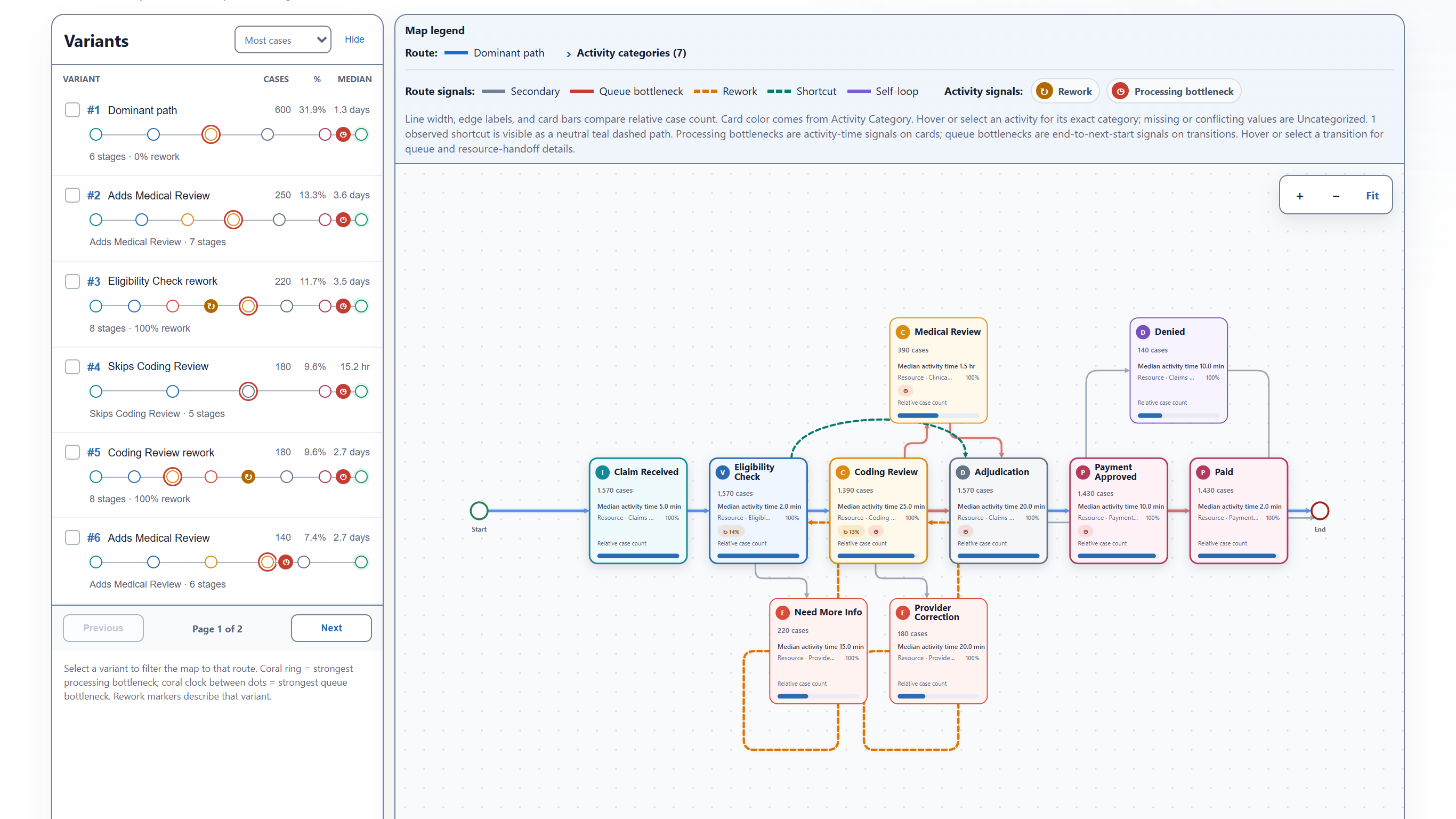
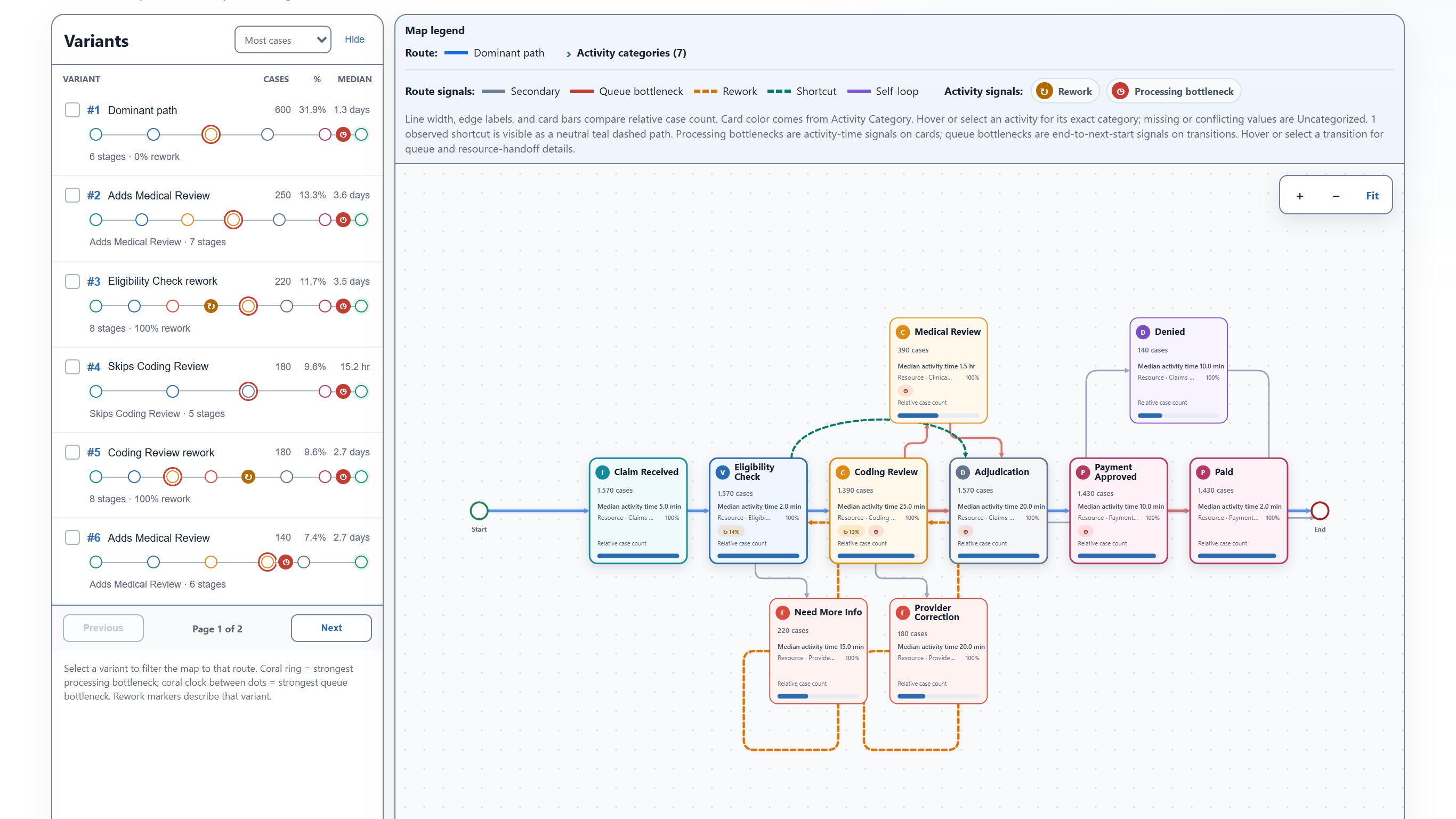
See how work moves through a process, compare paths, and investigate delays and rework. Trace findings to individual cases—all inside Power BI.

Purpose
Understand process paths and investigate differences from expectations
Audience
Power BI and operations analysts who investigate how work moves through a process
Environment
Microsoft Power BI
Availability
Available on Microsoft Marketplace
Threadseer process map showing synthetic healthcare claim activities and observed process paths.
Synthetic dataFollow the paths work really takesExplore common and alternate paths, with the cases behind each one available for review.
Open full-size screenshot: Follow the paths work really takes

DRLF

AvailableOpen source · GitHub

Turn a question into research you can explain.

Ask your AI agent to clone DRLF and guide you through setup. Then start a conversation about public healthcare data, using the research skills and tools already included in the project.

Purpose
Evaluate unusual patterns and build a documented research record
Audience
Researchers and analysts exploring public U.S. healthcare data
Environment
Your research workspace and a compatible AI agent
Availability
Available for Windows · Open source
A question becomes a research planWorkflow illustration · synthetic scenario
You ask

Why does one prescriber appear across so many vaccine claims?

Investigate with DRLF

Start with the pattern. Work toward an explanation.

  1. Understand the data

    Check what the prescriber field actually represents.

  2. Test possible explanations

    Compare the pattern with pharmacy and protocol roles.

  3. Keep the evidence together

    Record sources, findings, and what remains unknown.

Example of a guided workflow after setup. Illustrative wording, not an app screenshot or a live investigation.