Case ID
Connects events belonging to the same order, ticket, claim, or other case.



Threadseer for Power BI
AvailableMicrosoft Marketplace
See how work moves through a process and compare common and alternate paths. Investigate delays, rework, and differences from the expected process, then trace findings back to individual cases—all inside Power BI. No separate Threadseer account or external analytics service is required.
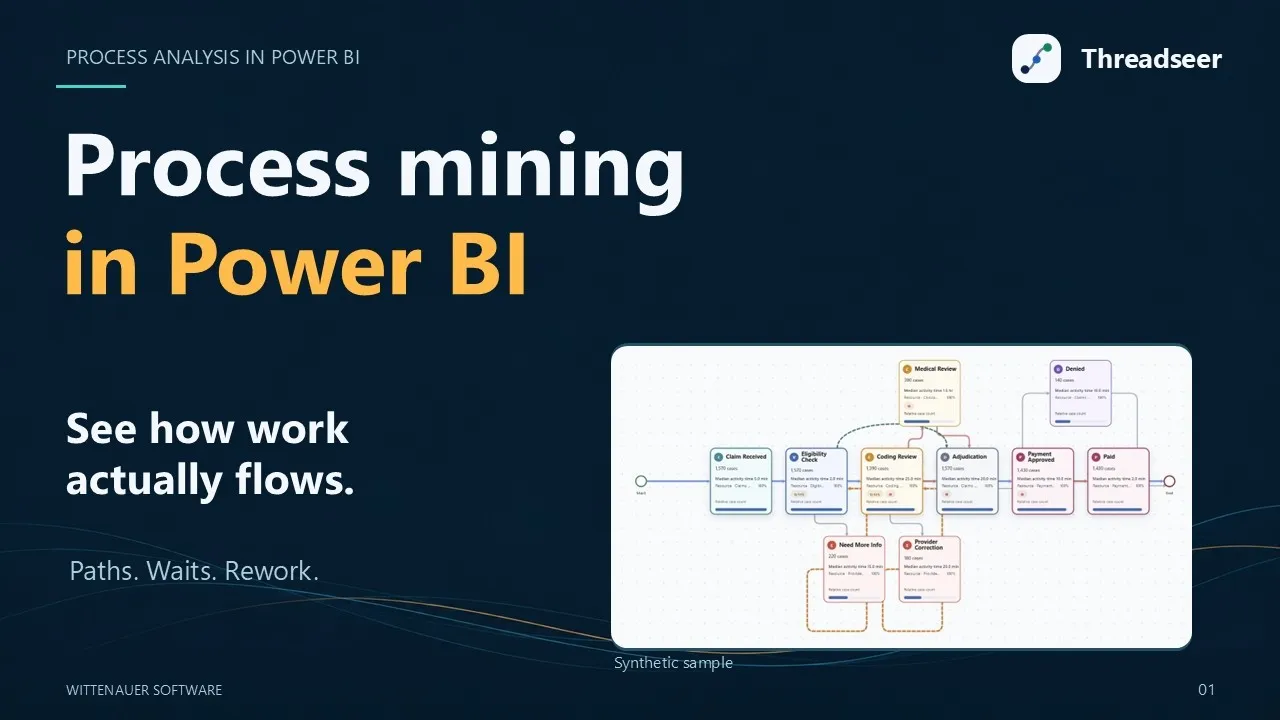
Video overview
Explore process mining in Power BI with this introduction to Threadseer from Wittenauer Software. The preview shows synthetic sample data.
Watch the overview on YouTube →Who it is for
Threadseer is for Power BI and operations analysts who work with event-history data—records of what happened, when it happened, and which order, claim, ticket, or other case each event belonged to. It helps them understand how work moves through a process. Consultants and operational leaders can use the results to focus investigations and improvement efforts.
What you need
Connects events belonging to the same order, ticket, claim, or other case.
Names the step or event that occurred.
Places those events in time order.
If each process milestone is stored in its own date column, you may first need to use Power Query to reshape the data into one row per event. No separate Threadseer data-preparation tool is required.
Built for Power BI

Map event fields and investigate the process alongside operational reports and measures.

Use Threadseer inside Power BI without adding another account, data-preparation service, or analytics platform.

Threadseer analyzes selected fields in memory within the Power BI visual and does not send them to Wittenauer Software.
Inside Threadseer
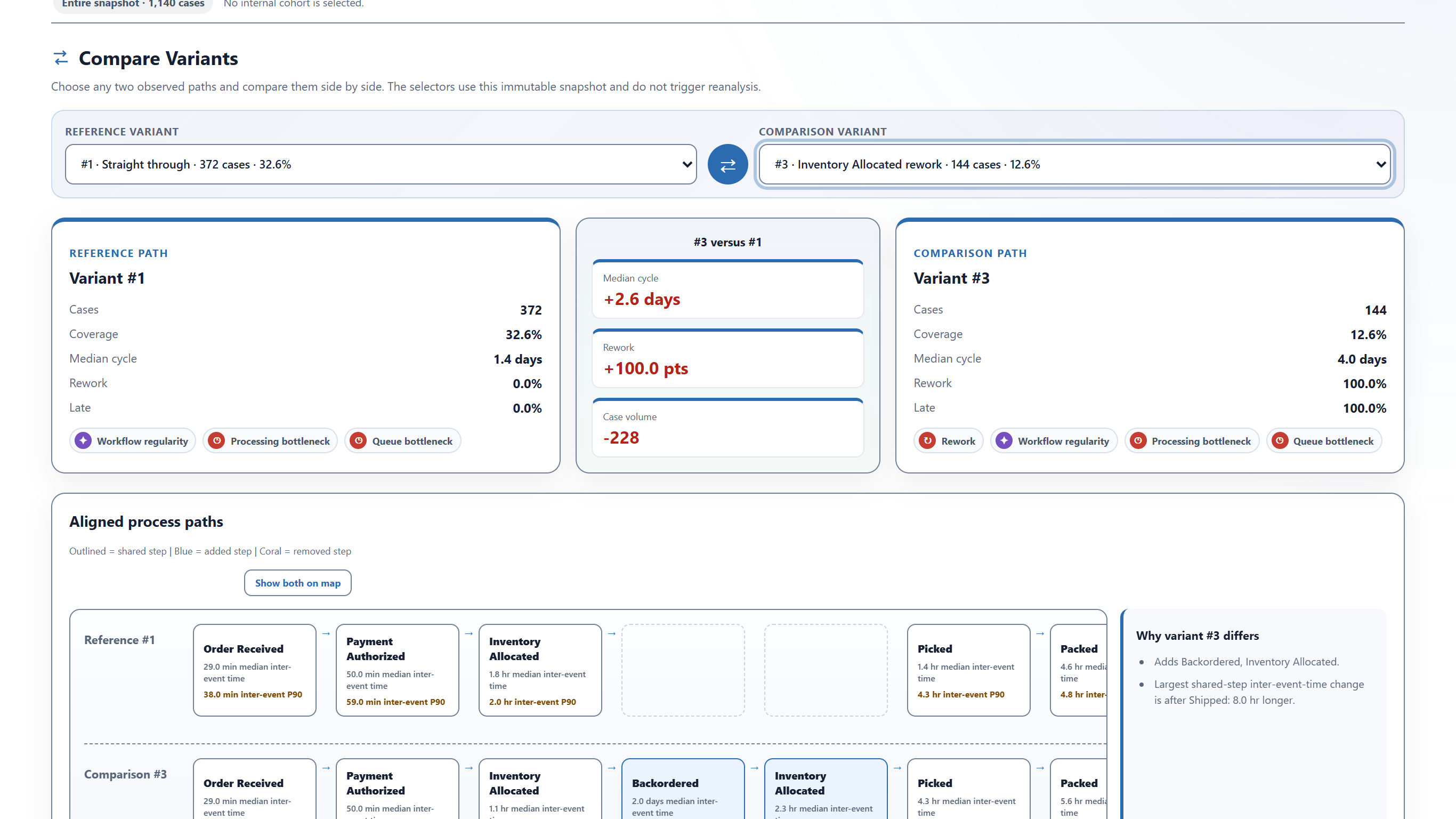
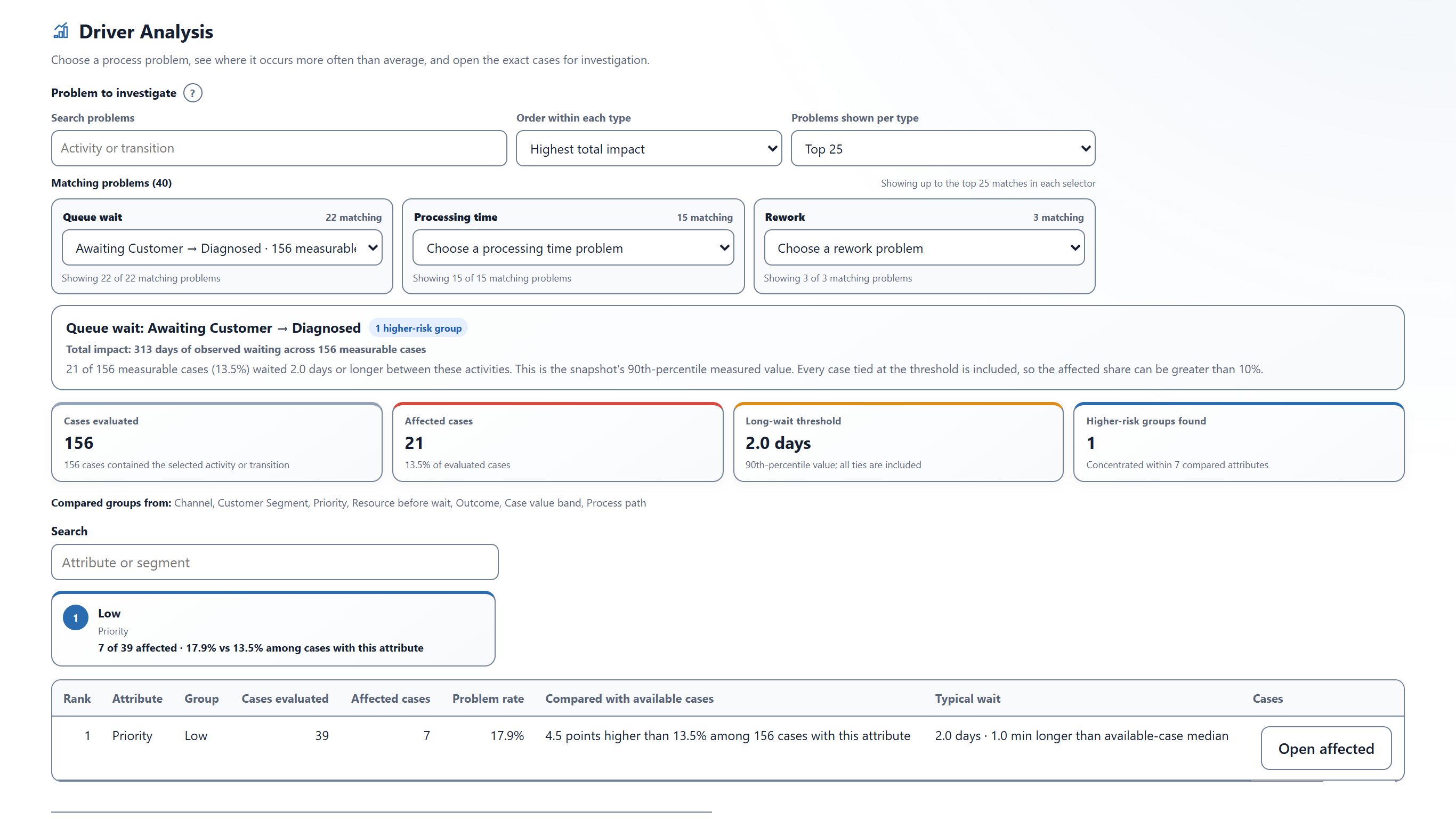
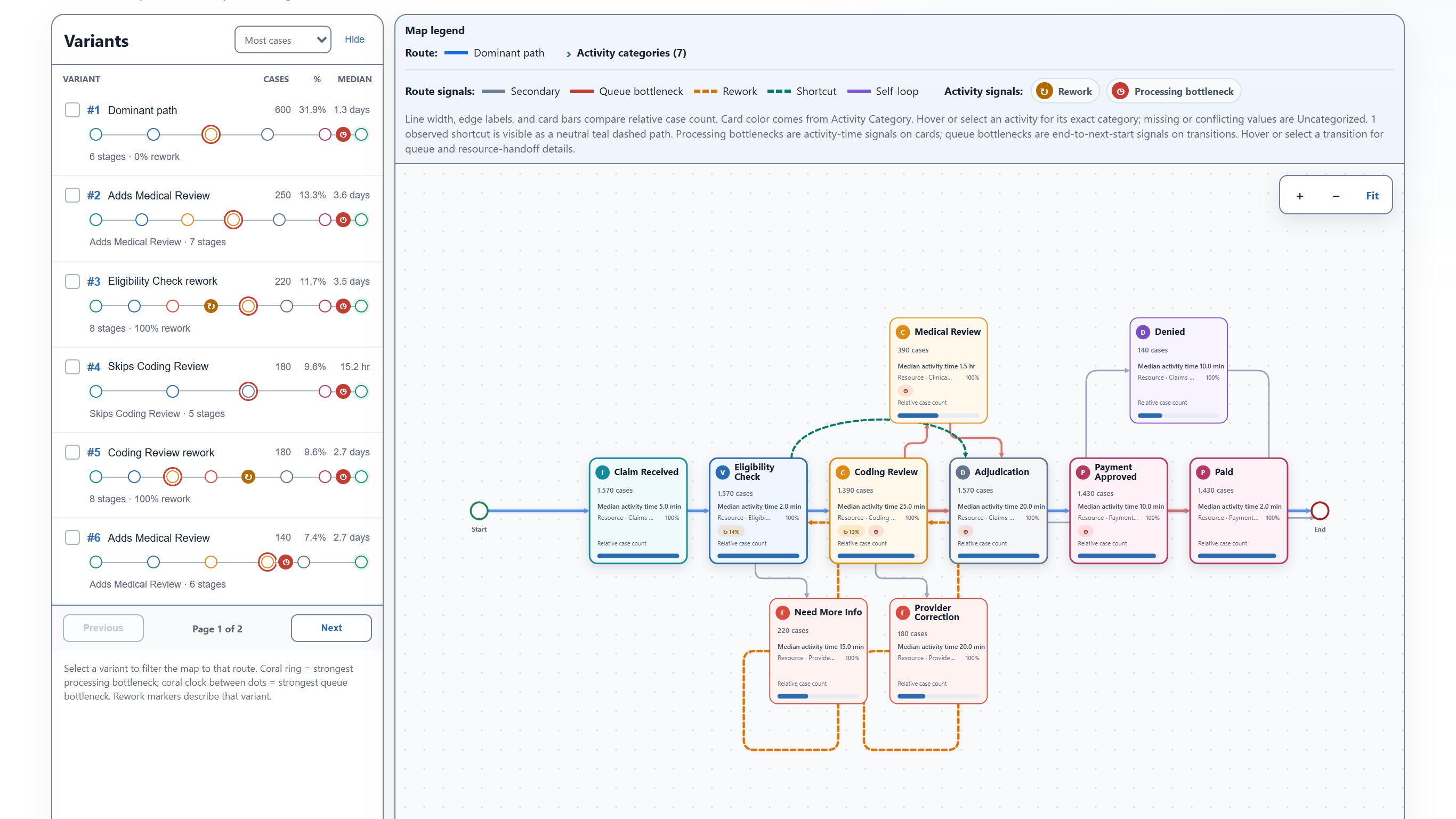
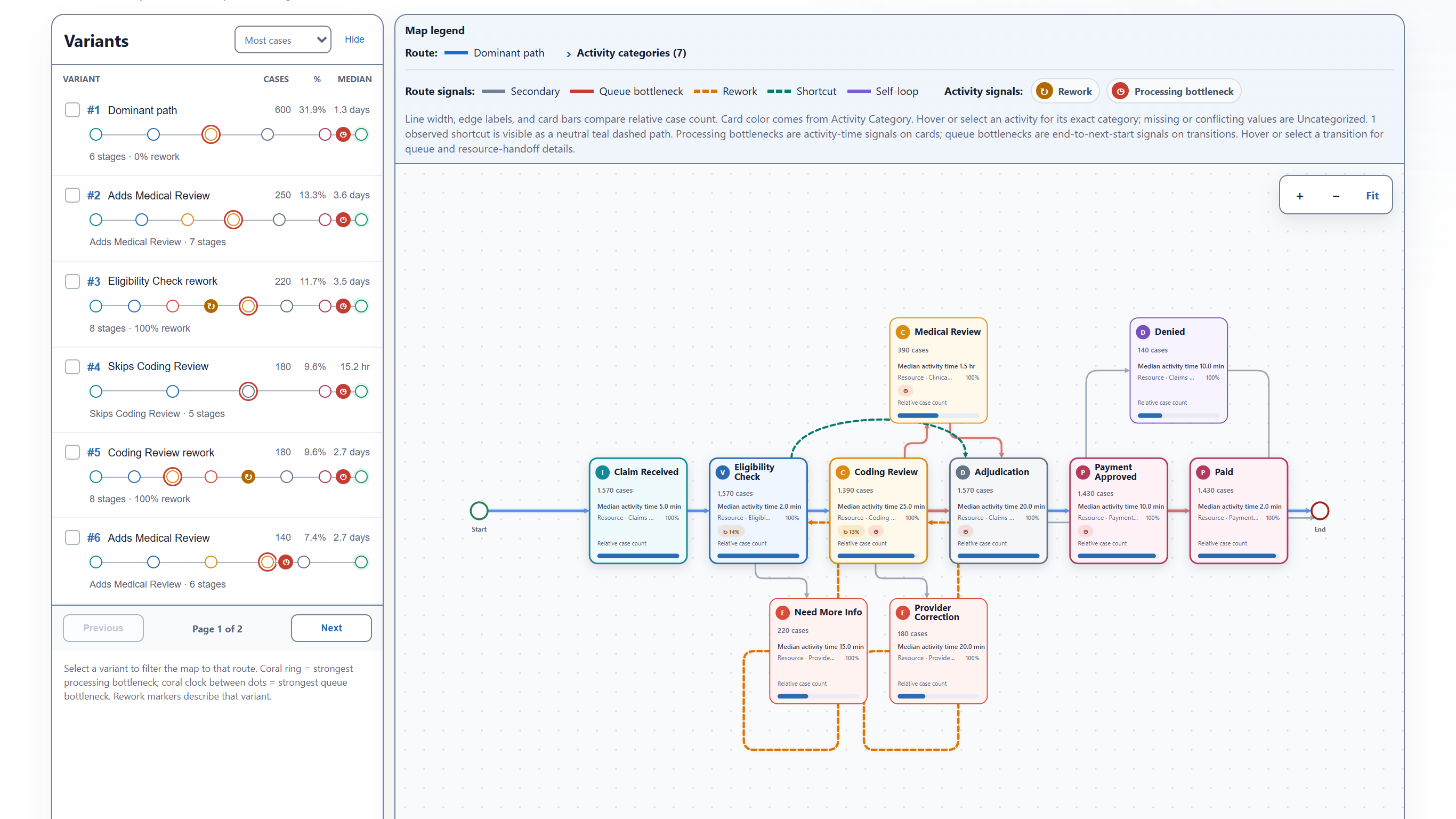
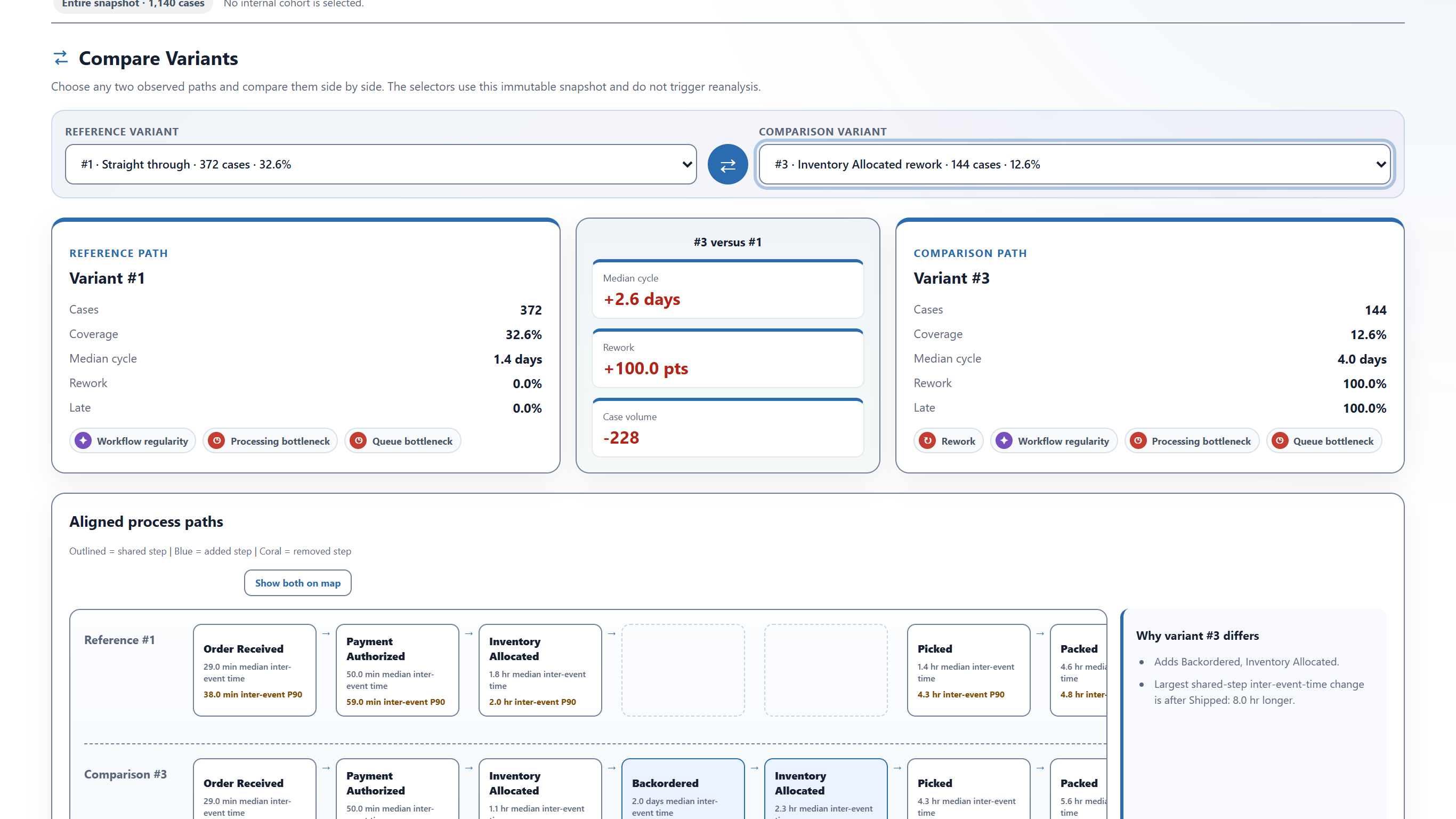
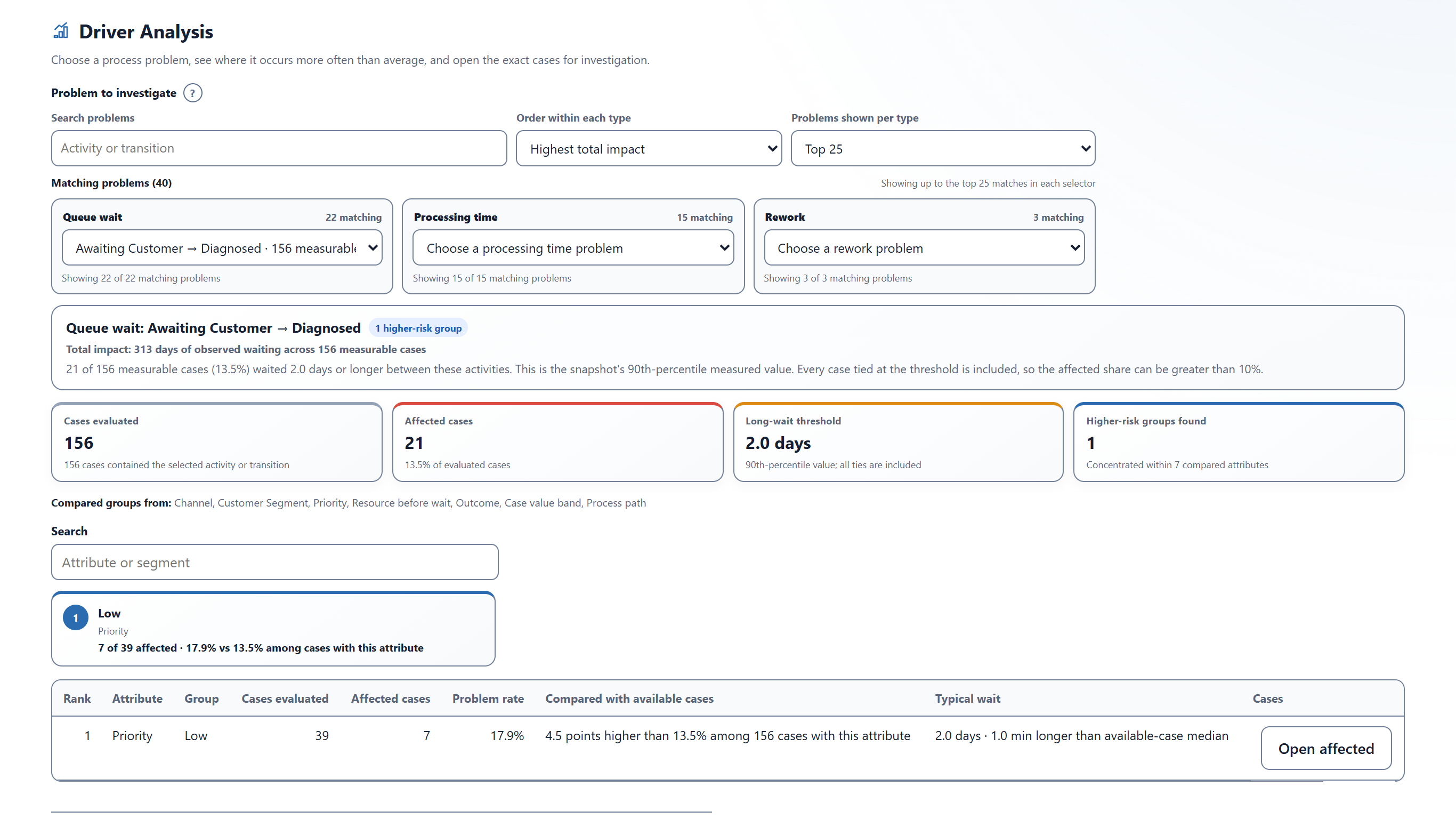
These screenshots show the Threadseer interface using synthetic sample data. They are product examples, not customer results.
Investigation workflow
How data is handled
Threadseer analyzes those fields in memory inside the Power BI visual. The visual has no external network permission and sends no event data, field names, report names, case identifiers, or process metrics to Wittenauer Software.
Plans and pricing
Start with the free Community experience for smaller analyses. Choose Professional for larger datasets, with licenses purchased through Microsoft Marketplace. See the plan guide for limits, pricing, and license assignment.
AvailableMicrosoft Marketplace
Threadseer is available on Microsoft Marketplace. Install the free Community experience or choose Professional for larger datasets.