

Compare Process Variants in Power BI: Insurance Claims
Compare the paths insurance claims take, see where their steps differ, and trace a six-day claim back to its records with Threadseer in Power BI.
One car insurance claim reaches payment in two days. Another takes six. Both end in Pay claim, but one needs a second set of photos along the way.
Before asking how to make claims faster, ask which paths are you comparing? A claim that needs a damage inspection and a claim with clear photos may involve different work. Mixing them into one average can hide the question you need to investigate.


Read the route summaries
- Photos accepted: eight claims, with a median of two days from Claim received to Pay claim.
- Damage inspection: four claims, with a median of five days.
- More photos requested: three claims, with a median of six days.
The sample also includes three claims that close without payment. We keep that different ending separate from the paid-claim comparison.
We will use Threadseer to find the routes, compare two that reach payment, and take specific claims back to the team for follow-up.
Load the claims sample
Use the first walkthrough’s setup to load the insurance claims CSV, map Case ID, Activity, and Timestamp to their matching fields, and choose Analyze this selection. The file contains 94 events across 18 completed claims and fits the Community edition’s 25,000-row limit.
Find the different paths
A process variant is an exact sequence of recorded activities. Claims with the same sequence belong to the same variant, even when one takes longer than another. Adding a step, skipping a step, or repeating a step creates a different sequence.
Open Variants. The Variant Explorer initially lists the paths in order of how many claims followed each one. Its Coverage tells you the share of the 18 claims belonging to that path. Rank tells you which paths are common, not which are best.
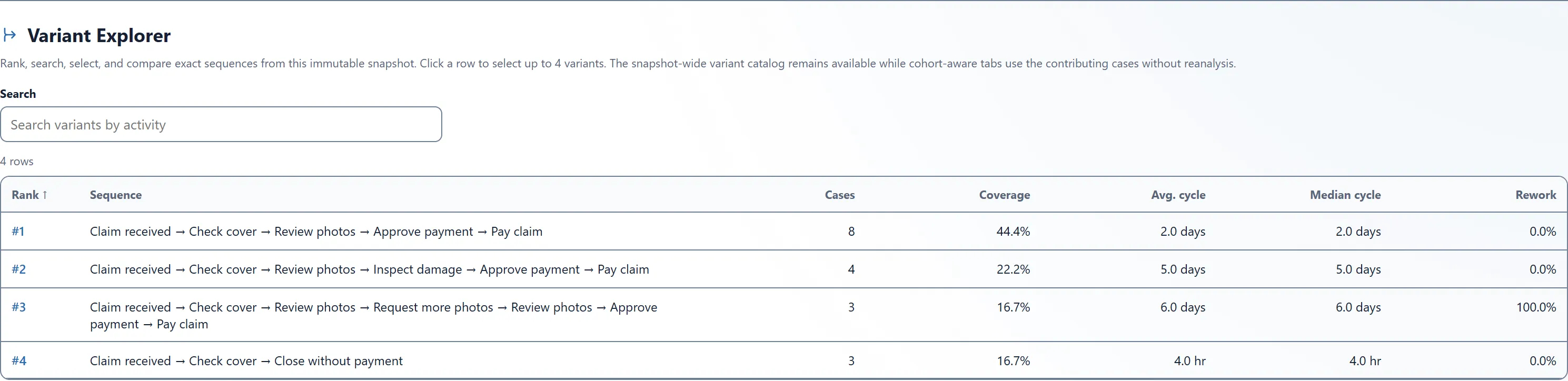
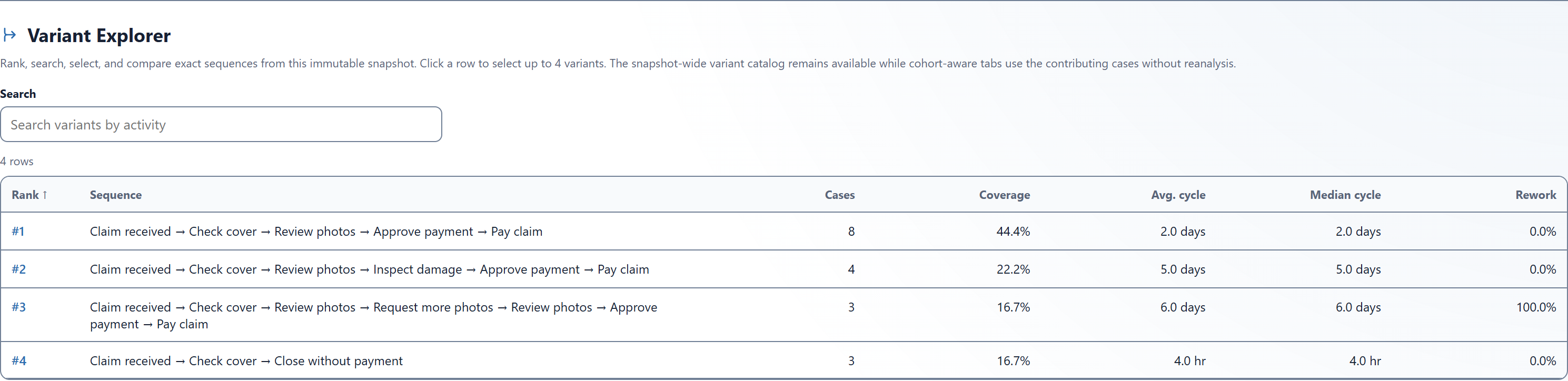
Here are the four sequences. The short route names below are our descriptions of them:
Photos accepted
8 claims · 5 recorded steps
- Claim received
- Check cover
- Review photos
- Approve payment
- Pay claim
Damage inspection
4 claims · 6 recorded steps
- Claim received
- Check cover
- Review photos
- Inspect damage Added step
- Approve payment
- Pay claim
More photos requested
3 claims · 7 recorded steps
- Claim received
- Check cover
- Review photos
- Request more photos Added step
- Review photos Second review
- Approve payment
- Pay claim
Closed without payment
3 claims · 3 recorded steps
- Claim received
- Check cover
- Close without payment
The shortest route closes without payment. Its median is just four hours, but that does not make it a useful model for speeding up claims that should be paid. Start with paths that answer the same business question and reach the same ending.
Choose a comparison that leads somewhere
Compare Photos accepted with More photos requested. Both end at Pay claim, and the added request gives us a focused question: what happens when the team needs another set of photos?
Leave Damage inspection for a separate investigation. An inspection may be appropriate for a different kind of damage. Its longer route does not, by itself, show unnecessary work.
Open Compare. Set Reference variant to #1 · Straight through · 8 cases · 44.4%. Set Comparison variant to #3 · Review photos rework · 3 cases · 16.7%. Check the full paths shown below the summary: five steps in the reference, seven in the comparison. Variant numbers can change in a different sample, so match the route description and count too.
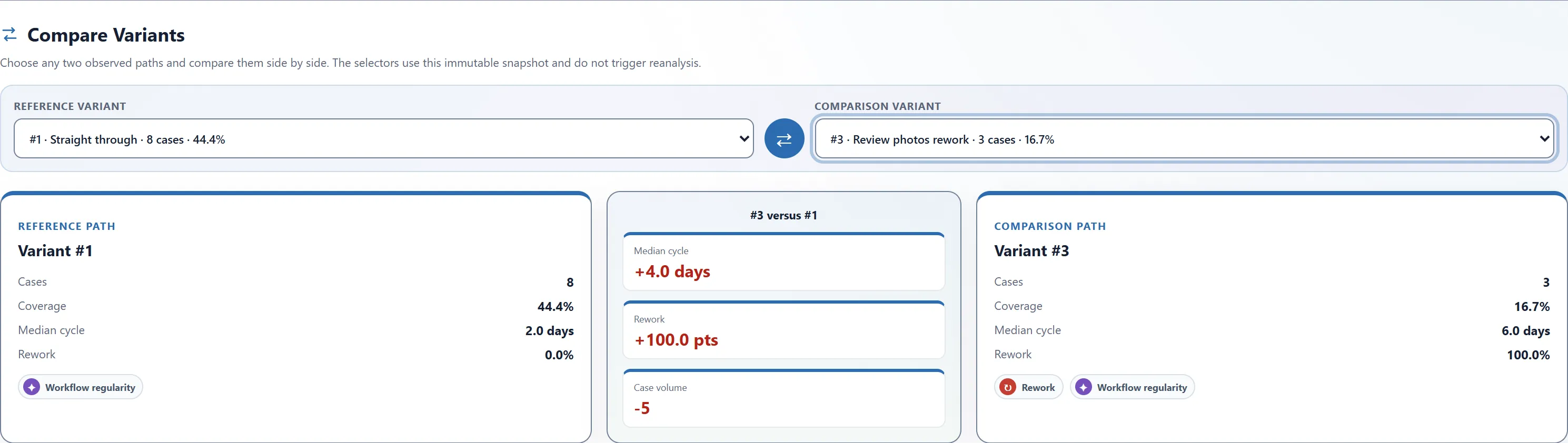
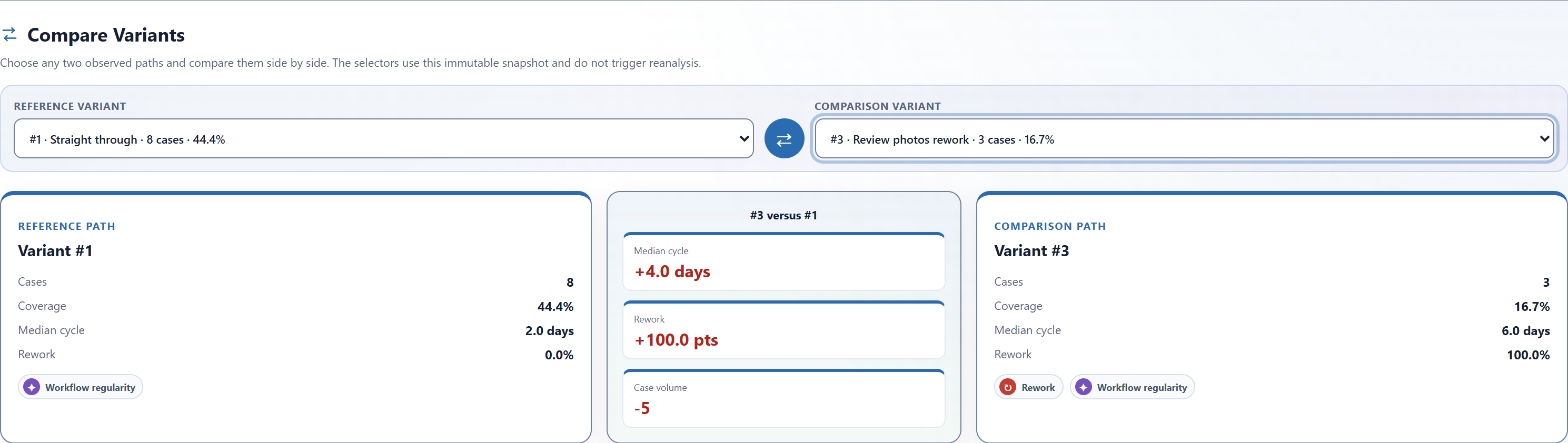
Median cycle measures elapsed time from the first recorded event to the last. The eight reference claims take 1, 1.5, 2, 2, 2, 2, 2.5, and 3 days; the middle two values are both two days. The three comparison claims take 4, 6, and 8 days; the middle value is six days.
The difference is four days, or 200% above the reference median. It is a difference between two small groups in this sample, not a promise that removing the request would save four days.
The Rework measure is 0% for the reference and 100% for the comparison: none of the eight reference claims repeats an activity, while all three comparison claims repeat Review photos. Here, that means a second review appears in the records. It does not establish that the review was avoidable.
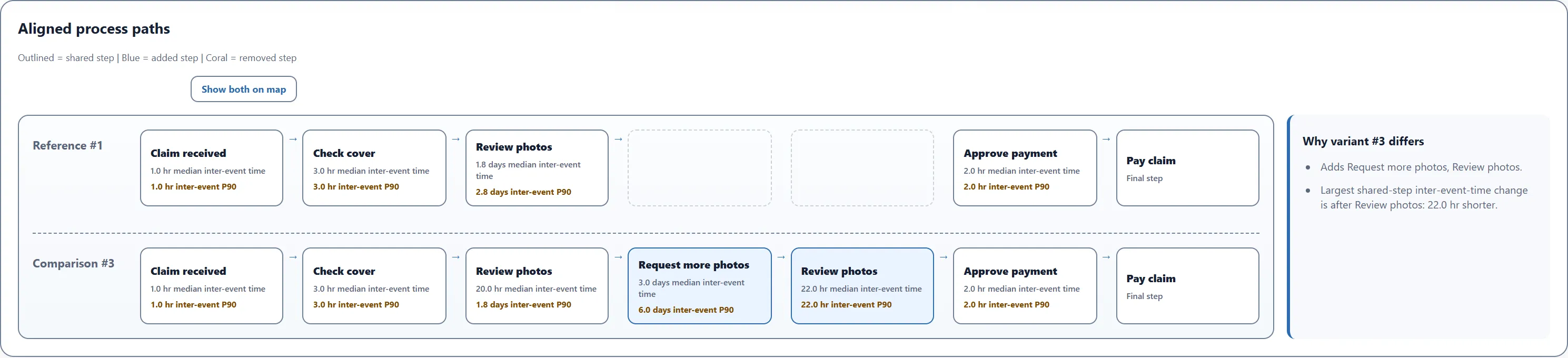
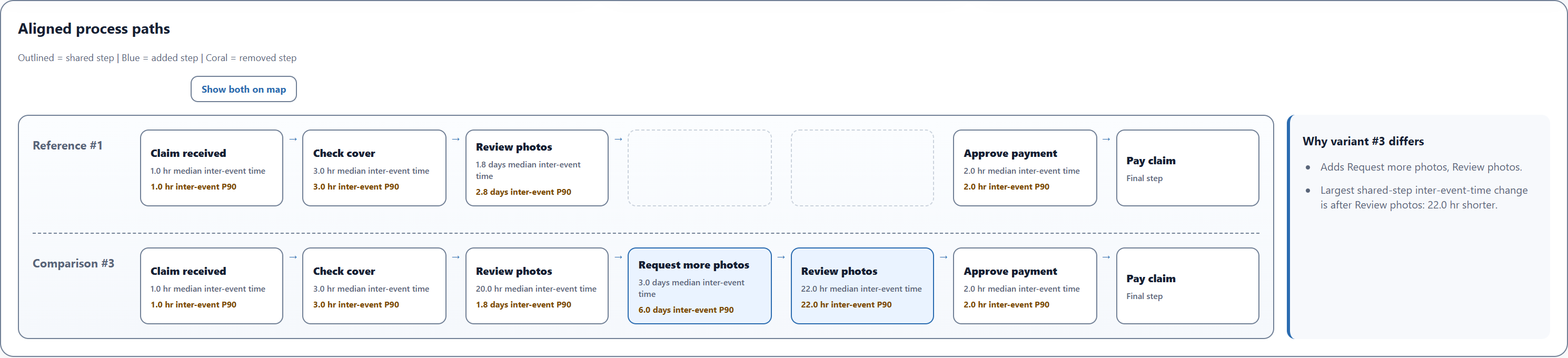
The timing between steps in these lanes runs from one recorded timestamp to the next. With this three-column file, it includes any work and waiting in that interval. It does not tell you how long someone spent reviewing photos.
The comparison reaches Request more photos sooner than the reference reaches Approve payment. Those are different next steps: the shorter gap after the first Review photos does not mean the claim reaches payment sooner.
Trace the difference to a claim
Return to Variants and select #3, the seven-step path. Open Cases, then select CLM-014. It follows that path and reaches payment in six days.
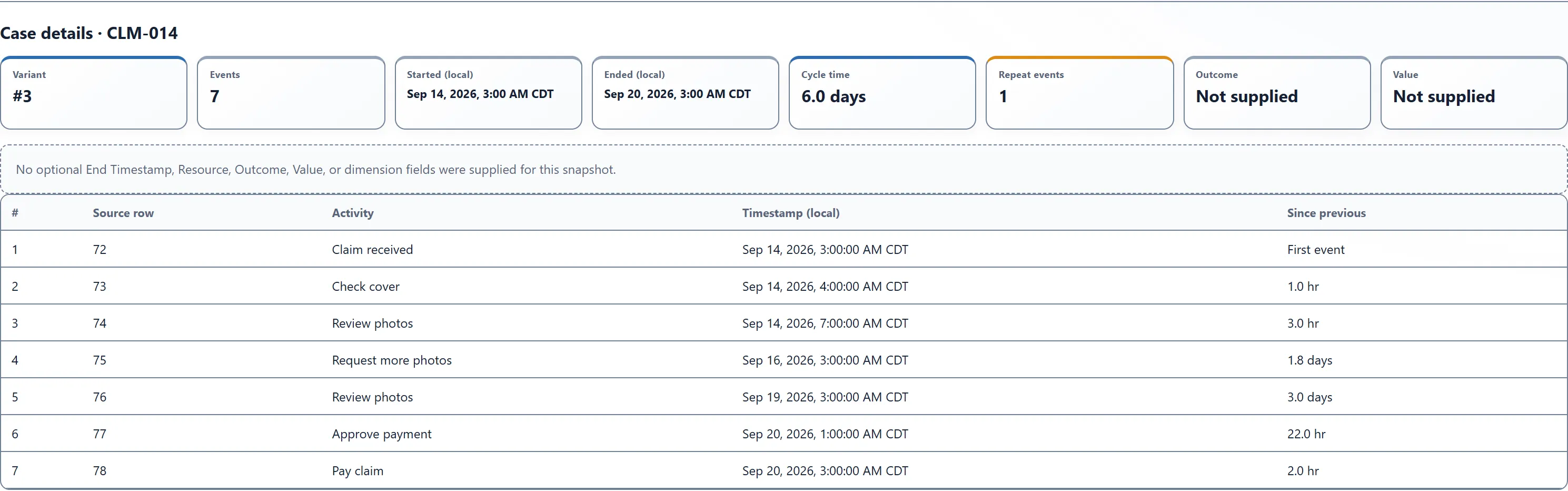
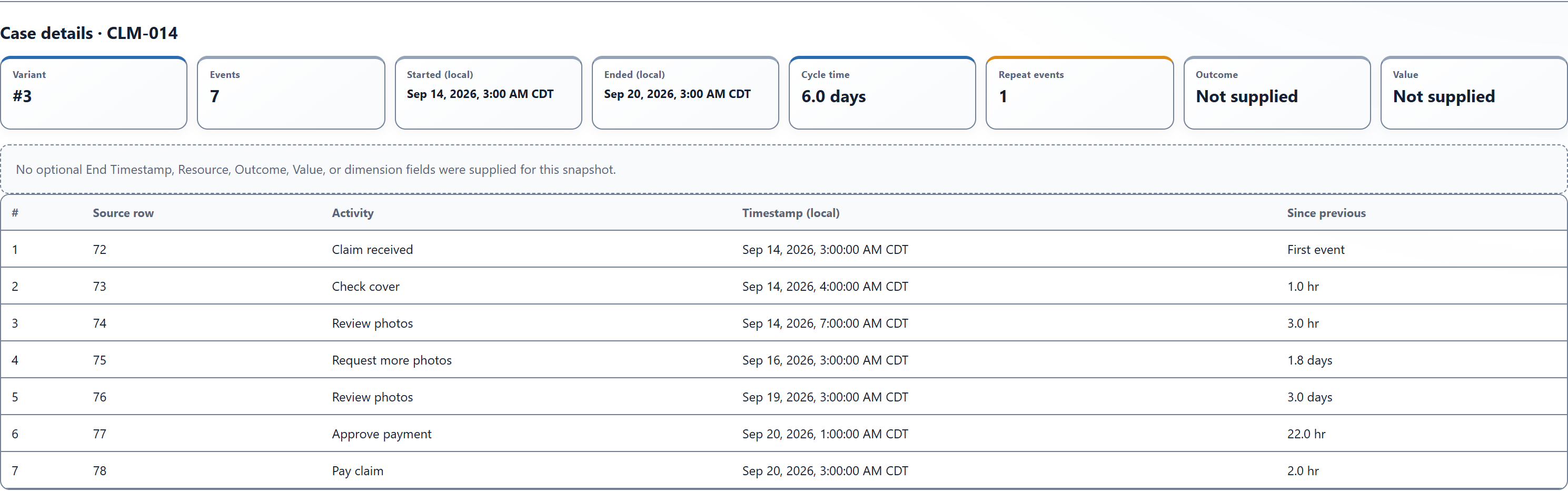
In the CSV’s UTC times, the request is recorded on September 16 at 08:00, and the second review on September 19 at 08:00. That is three elapsed days. The screenshot displays local times; the interval is the same.
The log has no Photos received event. Those three days could include time before the customer sent more photos, time before the team reviewed them, or both. Check the request, receipt, and review records before deciding where the delay occurred.
Compare CLM-014 with CLM-013, which takes four days through the same seven-step sequence, and CLM-003, which takes two days through the five-step sequence. Use Clear selection before each new lookup; selecting a case narrows the view to that case. The first comparison asks why the same path varies in time; the second asks what differed when another review was needed.
Take three questions to the claims team:
- What was missing from the first photos? Check the request notes for CLM-014 and CLM-013.
- When did the new photos arrive? Separate time awaiting a response from time awaiting review.
- Were these comparable claims? Check damage type and complexity before attributing the difference to the photo request.
Use variants to frame your next question
For your own analysis, choose a process with consistent activity names and a complete history for each case. Keep repeats as separate event rows. Check missing events and timestamp ties: differences in recording can create apparent paths that did not reflect different work. Filter whole cases when possible; a date filter can cut off their early or late steps. Choose Analyze new selection after changing the input filters.
Then make three choices:
- Choose the ending. Compare paid claims with paid claims, or closed tickets with closed tickets. An unfinished case can look like a shorter route.
- Choose the sequence difference. Start with one added review, handoff, or return that the team can explain.
- Choose the evidence to follow. Note each group’s size, its typical elapsed time, and a few named cases to inspect.
The comparison describes what happened in the recorded sample. Deciding whether a route followed the required procedure needs the business rules; identifying why it took longer needs the supporting records. A rare path can be appropriate, and a common path can still deserve improvement.
You now have two clearly defined paths, a measured difference, and specific claims to discuss. Use the Threadseer field guide for your own event log, or get Threadseer from Microsoft Marketplace to try this sample.